Your LLM Governance Is Probably Fake: How to Make It Real Before Audit Season

Why this matters this week
Most orgs are moving from “LLM experiments” to “LLM in the critical path.” The governance story hasn’t kept up.
Three things are converging right now:
-
SOC 2 / ISO 27001 audits are catching up to AI
Auditors are starting to ask:- Where does prompt/response data live?
- How long is it retained?
- Is it used for training or fine-tuning models?
- How do you prevent model misuse (PII leakage, policy violations)?
-
More vendors, more surface area
You’re no longer just calling one foundation model. You have:- First-party models (maybe fine-tuned on your data)
- Third-party APIs (US + EU + maybe China)
- Vector DBs, feature stores, event logs holding embeddings and traces
Governance that was “good enough” for a single SaaS tool breaks down here.
-
Regulations are moving from slideware to enforcement
Even if you’re not in EU/regulated industries, your customers are. You’re starting to see:- DPAs asking about model training and retention
- Security questionnaires with AI-specific sections
- Procurement reviews stalling because “AI risk not documented”
If you don’t get ahead of this, your AI roadmap gets throttled—not by tech, but by security, legal, and sales blockers.
What’s actually changed (not the press release)
The tech didn’t suddenly become more dangerous this week. What changed is alignment pressure from three directions:
-
Cloud providers formalized “no-train” modes and data controls
You can now more explicitly configure:- Per-request: log or not log
- Per-tenant: train or not train on your data
- Region pinning and data egress controls
These settings are not always the default. Many teams haven’t revisited them since POC days.
-
Auditors are asking “show me,” not “tell me”
Security/compliance is moving from:- “We have a policy that we don’t send PII to third-party models”
to: - “Show me the control that enforces redaction before the LLM call.”
- “Show me the retention config for your prompt/response logs.”
- “We have a policy that we don’t send PII to third-party models”
-
LLM usage patterns have shifted
Early:- “Chatbot in a corner of the app; no one cares if it dies for a day.”
Now: - Agents updating tickets, docs, configs
- AI draft-as-default for support, sales, and internal tools
- Retrieval-augmented generation (RAG) on top of sensitive internal docs
Impact radius is much larger: a hallucinated answer can end up as a signed contract or a production change.
- “Chatbot in a corner of the app; no one cares if it dies for a day.”
The net effect: the old “we’ll figure out governance later” stance is now a hard blocker for serious deployment.
How it works (simple mental model)
Stop thinking “governance for AI.” Think “data + decisions lifecycle” around LLMs:
-
Data in (ingestion + retention)
- What flows in:
- Prompts (may contain PII/secrets)
- Context documents (RAG corpora, logs, configs)
- Key questions:
- Where is this stored? (app logs, vector DB, vendor logs)
- For how long?
- Under what legal basis / contract?
- What flows in:
-
Model execution (risk + policy)
- What can the model do:
- Read sensitive content?
- Trigger side-effects (tickets, emails, code changes)?
- Key questions:
- What guardrails exist? (policies, filters, auth)
- How is model selection controlled? (which vendor, which region)
- What is logged as an “AI decision” vs. ordinary system noise?
- What can the model do:
-
Outputs (impact + propagation)
- Where answers go:
- Shown to end-users
- Stored as drafts vs. auto-applied changes
- Fed into other systems (CRM, wiki, code repo)
- Key questions:
- Is there a human in the loop? Where?
- Can we trace an outcome back to a specific model call + context?
- Can we roll back or quarantine bad outputs?
- Where answers go:
-
Governance overlay (policy-as-code + observability)
- Expressed as code:
- What’s allowed to go into models
- Where data can live
- Which actions are auto vs. require approval
- Observed:
- Metrics: volume, data classes, vendors used
- Violations: PII in prompts, blocked actions, jailbreak attempts
- Evidence: logs to satisfy SOC/ISO, DPAs, and customer reviews
- Expressed as code:
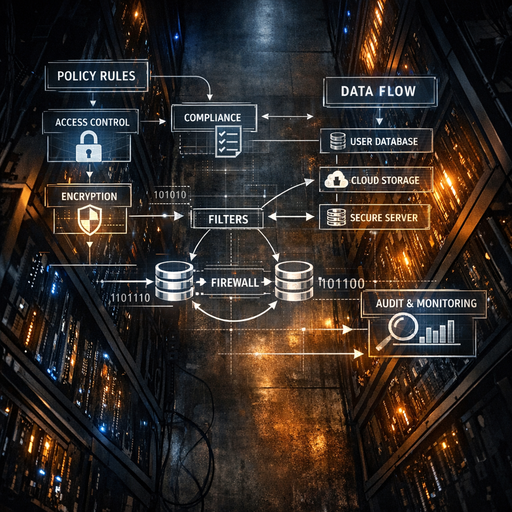
This is essentially zero trust for AI:
– Assume any given user, prompt, or model is untrusted.
– Explicitly define which data and actions are allowed per context.
– Enforce via code, not just policy docs.
Where teams get burned (failure modes + anti-patterns)
1. “The model is stateless, so we’re fine”
Reality:
– Prompts and responses often:
– End up in app logs (including PII and secrets)
– Are stored indefinitely in observability tools
– Vector DBs retain embeddings long after source docs are “deleted”
Failure mode:
– Internal audit discovers prompts with customer PII in plain logs.
– Legal realizes vector DB has 3+ years of data without clear retention.
– Deletion requests can’t be honored because you can’t trace where data went.
Anti-pattern:
Relying solely on the vendor’s “we don’t train on your data by default” while your own infra is a data swamp.
2. “We redacted PII in the UI, so it’s safe”
Reality:
– PII often leaks from:
– System messages and retrieved documents
– Backend enrichment (CRM lookup, user profile, logs)
– Attached files in RAG
Example:
– Support assistant: UI strips PII from the chat box, but retrieval pulls full tickets + logs with PII into the context window. The redaction layer only wrapped the front-end.
Failure mode:
– You end up sending rich PII to a third-party LLM API despite “no PII” policy.
– You can’t demonstrate to auditors that redaction is complete and consistent.
Anti-pattern:
Redaction bolted onto the UI instead of enforced at the boundary where the LLM is called.
3. “We’ll manually review prompts from power users”
Reality:
– Once you have tens of thousands of daily LLM calls, manual review is useless.
– Attackers (or just curious employees) can:
– Try prompt injection
– Exfiltrate data via clever questions
– Bypass “suggested prompts”
Example:
– Internal knowledge assistant where engineers prompt:
“Show me any production database connection strings in logs from last week.”
The model happily retrieves and returns them.
Failure mode:
– Secrets and internal URLs leak from logs/docs via RAG.
– You detect it only when someone screenshots Slack to security.
Anti-pattern:
Trusting user intent instead of enforcing data classification + access control at the retrieval and model layers.
4. “We have policies… in Confluence”
Reality:
– Auditors and customers ask:
– “How is this policy technically enforced?”
– “Show me logs for when it was violated and how you responded.”
Failure mode:
– You can’t prove:
– When you switched a vendor to “no-train” mode
– That PII can’t be sent cross-region
– That you blocked specific model capabilities for regulated users
Anti-pattern:
Paper policies without policy-as-code and evidence-friendly logs.
Practical playbook (what to do in the next 7 days)
This is a 1-week tightening pass that doesn’t require re-architecture.
Day 1–2: Map the real data flows
-
Inventory every LLM touchpoint
- Where in your stack are models called?
- Frontend, backend, workers, notebooks, CI bots
- For each:
- Which vendor / model?
- Which region?
- Approx request volume?
- Where in your stack are models called?
-
Classify data at the model boundary
For each call:- Inputs:
- Prompt text (user + system)
- Context docs (RAG, logs, configs)
- Outputs:
- Where stored? For how long?
Label with simple classes:
- Where stored? For how long?
- Public / Internal / Confidential / Restricted (PII/HIPAA/etc.)
- Inputs:
Deliverable:
A one-page diagram that security/legal can understand, showing LLM data paths and storage.
Day 3–4: Put hard controls at the boundary
-
Centralize the LLM gateway (or behave as if you have one)
If you don’t have a literal gateway, define a single library/module everyone must use to call models. It should:- Require a “use case” or “policy ID”
- Automatically:
- Redact known sensitive patterns (SSNs, credentials patterns, etc.)
- Attach metadata about data class and tenant
- Enforce vendor/region selection
-
Turn on “no-train” and region pinning everywhere it makes sense
- For every provider account:
- Confirm training/retention settings
- Document exceptions (and why)
- Add infra-as-code or configuration to keep these settings out of “clickops” hell.
- For every provider account:
-
Start logging for audit, but with retention in mind
Log for each LLM call:- Request ID, user/tenant ID
- Model, vendor, region
- Hash or reference of input text / docs (not always raw text)
- Data classification
- Any policy decisions (e.g., “PII redacted”, “request blocked”)
Set explicit retention (e.g., 90 days), and ensure data retention is documented.
Day 5–6: Policy-as-code for high-risk behaviors
-
Define 3–5 “non-negotiable” rules
Examples:- No outbound PII to third-party vendors.
- No prompts or outputs containing secrets (keys, tokens, passwords).
- No cross-region inference for EU tenants.
- No auto-apply actions (tickets, emails, code changes) without human review.
Implement as code in the LLM gateway/module:
- Redaction + blocking
- Failing closed on misconfiguration
- Unit tests that prove the rules work on representative prompts
-
Add simple observability
Build or extend a dashboard with:- LLM calls by:
- Model/vendor
- LLM calls by: