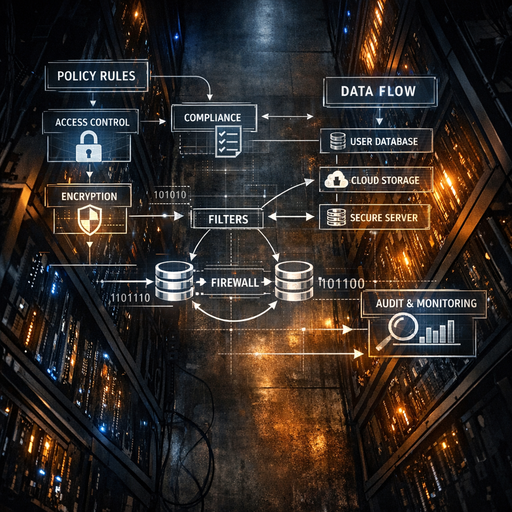
Your LLM Stack Is Probably Non‑Compliant by Default

Why this matters this week
Most teams just discovered that their “quick LLM pilot” now touches:
- Production customer data
- Regulated logs (PII, PHI, financial records)
- Vendor models that self-update without notice
- Ad-hoc prompts that embed internal policies and secrets
In parallel:
- Internal audit is asking, “What does this system actually store and where?”
- Security is asking, “Can we reproduce what the model said and why?”
- Legal is asking, “What’s our data retention policy for this thing?”
- Customers are starting to ask for AI-specific SOC2 / ISO evidence.
The awkward reality: many AI systems are being deployed outside the controls you already built for traditional microservices and data pipelines. Same data, fewer guardrails.
Privacy and AI governance are no longer “we’ll fix it later” concerns. They define:
- Whether you can run LLMs on real first-party data
- Whether you can pass the next customer security review
- Whether an incident is a “minor bug” or a “regulatory reportable event”
What’s actually changed (not the press release)
Three concrete shifts in the last ~6–12 months:
-
Models are operational, not experimental
- LLMs are now in customer support, internal search, onboarding flows, and engineering tools.
- They consume audit logs, tickets, CRM data, and log streams that were previously fenced.
- “Shadow AI” prototypes have quietly become production dependencies.
-
Retention and training defaults are misaligned with governance
- Many model APIs default to:
- Logging prompts/completions for “quality”
- Using data for ongoing training unless you explicitly opt out
- Even if you’ve flipped the right config flags, you probably can’t prove it in an audit trail.
- Many model APIs default to:
-
Auditability expectations have risen
- Auditors now ask:
- “Show me an example inference and the data it used.”
- “Who can query what? With what approval path?”
- “How is your data minimization policy encoded in the system?”
- SOC2 / ISO 27001 controls haven’t changed names, but:
- You’re now expected to show AI-specific evidence for access control, retention, and change management.
- “We trust the vendor” is a rapidly failing answer.
- Auditors now ask:
This is less about new laws and more about existing privacy & security obligations colliding with a new class of opaque systems.
How it works (simple mental model)
A pragmatic mental model: every LLM integration is a new data pipeline with three layers:
-
Data ingress layer – what flows into the model
- Sources: logs, tickets, documents, databases, user input.
- Transformations: redaction, tokenization, filtering, enrichment.
- Governance questions:
- Which fields are allowed through?
- Which users / roles can cause which data to be sent?
- Are we tagging / classifying data before it leaves our boundary?
-
Model interaction layer – where control usually disappears
- Types:
- Hosted API (OpenAI, Anthropic, etc.)
- Self-hosted models (open-source or proprietary)
- Axes of control:
- Can you configure retention / training usage?
- Can you log prompts and responses without logging secrets?
- Can you pin model versions (for reproducibility and validation)?
- Governance questions:
- Where is the model running (region, tenant, network)?
- What guarantees do we have on data residency and deletion?
- Can we explain model behavior for a given request?
- Types:
-
Persistence & exposure layer – where risk accumulates
- Storage:
- Vector DBs, caches, feature stores, observability tools, analytics.
- Surfaces:
- Chat UIs, APIs, internal tools, customer-facing flows.
- Governance questions:
- What is logged, for how long, and who can query it?
- Does downstream storage re-introduce PII you thought you’d stripped?
- Can you trace a user-facing answer back to the underlying data and policy?
- Storage:
Policy-as-code plugs into all three layers:
- Ingress:
- “No PII fields X, Y, Z may be sent to external models.”
- “Only role A can send document class ‘confidential’ to model cluster B.”
- Model:
- “External models can only be called from this VPC and must have retention=off.”
- “Use model version M for regulated workloads until risk review passes.”
- Persistence:
- “Vector DB cannot store raw PII; only hashed or surrogate keys.”
- “Logs with prompt content must be retained max 30 days and redacted on write.”
If you don’t treat LLM integrations as pipelines governed by explicit policies, you implicitly rely on developer discipline and vendor defaults. That’s not a control; it’s a hope.
Where teams get burned (failure modes + anti-patterns)
1. “Chat logs” that are actually unbounded surveillance
Pattern:
- Team launches an internal “AI assistant.”
- Every conversation (including PII, HR issues, legal questions) is logged in plaintext to:
- Web analytics
- App logs
- A long-retention data warehouse
Problems:
- Violates internal data minimization policies.
- No clear retention policy or deletion mechanism.
- Hard to fulfill “right to be forgotten” or data subject access requests.
Anti-pattern smell: “We need logs to debug” with no scoping or retention limit.
2. Vector databases as shadow data warehouses
Pattern:
- Team builds RAG using internal docs and support tickets.
- They dump entire records (including emails, names, IDs) into a vector DB.
- Access to vector DB is far looser than the source databases.
Problems:
- You’ve cloned sensitive tables into a system not designed for strict access control.
- RBAC on the original system is bypassed.
- No consistent classification or tagging on the ingested data.
Anti-pattern smell: “It’s just embeddings” but the metadata (or chunks) contain raw PII or secrets.
3. Vendor configs set once, never verified
Pattern:
- Security says: “Make sure data is not used for training.”
- Someone ticks a box or sets one env var at integration time.
- Team assumes it’s done forever.
Problems:
- Vendor changes APIs or defaults; flag no longer behaves as expected.
- Multiple integrations with different settings exist across orgs.
- No ongoing verification or evidence for auditors.
Anti-pattern smell: A PDF security review from six months ago is your “source of truth.”
4. No model version pinning = no reproducibility
Pattern:
- SaaS model endpoint auto-updates to “the latest best model.”
- Fine-tuning or safety filters change under the hood.
- A customer disputes an answer, and you can’t reproduce it.
Problems:
- Hard to investigate incidents or bias claims.
- Impossible to run A/B evaluations for model changes.
- Weakens your SOC2/ISO change management story.
Anti-pattern smell: Your logs capture prompts and outputs, but not which model or config generated them.
5. Policy written in Confluence, not enforced in code
Pattern:
- Security crafts a detailed AI usage policy doc.
- Engineers skim it once and then build directly against APIs.
- No linting, tests, or CI checks enforce the policy.
Problems:
- Drift between written policy and actual systems.
- Hard to show continuous compliance; everything is “by design” until proven otherwise.
- Oncall inherits incidents they can’t triage quickly.
Anti-pattern smell: Your “governance” is docs and training; your pipelines compile and run just fine without them.
Practical playbook (what to do in the next 7 days)
Assume you’re mid-flight. You can’t stop all AI work; you can start governing it.
Day 1–2: Build a minimal AI data inventory
Goal: know what exists before you “govern.”
- List every system that:
- Calls an LLM or embedding API
- Hosts a model
- Stores embeddings or prompt/response logs
- For each, capture:
- Data sources (DBs, logs, files)
- Model endpoints (vendor, region, version if known)
- Storage targets (vector DBs, log systems, object storage)
- Access patterns (internal only, customer-facing, 3rd-party access)
Outcome: a simple table that becomes your AI-specific system-of-record.
Day 3: Quick retention & training usage audit
Goal: stop the easiest-to-fix leaks.
- For each model endpoint:
- Confirm:
- Are prompts/responses used for training?
- Is there an org-level override?
- Where are logs stored, and for how long?
- Set configs to:
- Disable training/data sharing if possible.
- Reduce log retention where feasible (e.g., 30–90 days).
- Confirm:
- For each logging path:
- Check if prompts/outputs go into:
- Central logs
- Error tracking tools
- Analytics
- Add redaction where needed (regex or classifier-based).
- Check if prompts/outputs go into:
Outcome: documented retention settings and training usage per endpoint.
Day 4: Introduce one simple policy-as-code control
Goal: get from “policy in docs” to “policy in CI/runtime.”
Pick one area and encode a rule:
- Example policies to implement:
- Build-time:
- “Any code that calls external LLMs must use the approved client library.”
- “Embeddings must not contain specified PII fields.”
- Runtime:
- “Requests with classification label ‘sensitive’ must route to self-hosted models only.”
- “Reject prompts over X KB or with detected secrets.”
- Build-time:
Mechanically:
- Wrap vendor APIs in an internal SDK that:
- Enforces config settings (retention, region, model version).
- Applies redaction or classification before sending data.
- Logs model id and key metadata for audit.
Outcome: at least one control that cannot be bypassed without a code change.
Day 5–6: Add minimal model observability + reproducibility
Goal: know what happened and why, without logging the universe.
Add lightweight metadata logging:
- For each LLM call, capture:
- Model identifier and version
- Calling service and user/role (not raw PII)
- High-level request type (classification, summarization, RAG answer)
- Pointer to source data (document IDs, ticket IDs), not the full content
- A stable trace/correlation ID
Make decisions:
- Where to store:
- Prefer existing observability stack with:
- Role-based access
- Reasonable retention
- Encryption at rest
- Prefer existing observability stack with:
- How long:
- Enough to debug (e.g., 30–90 days), not indefinite.
Outcome: you can answer “what did the model do for this request?” without storing everything forever.